
Manage accounts
Set up your accounts and protect your local budget.
Add an account
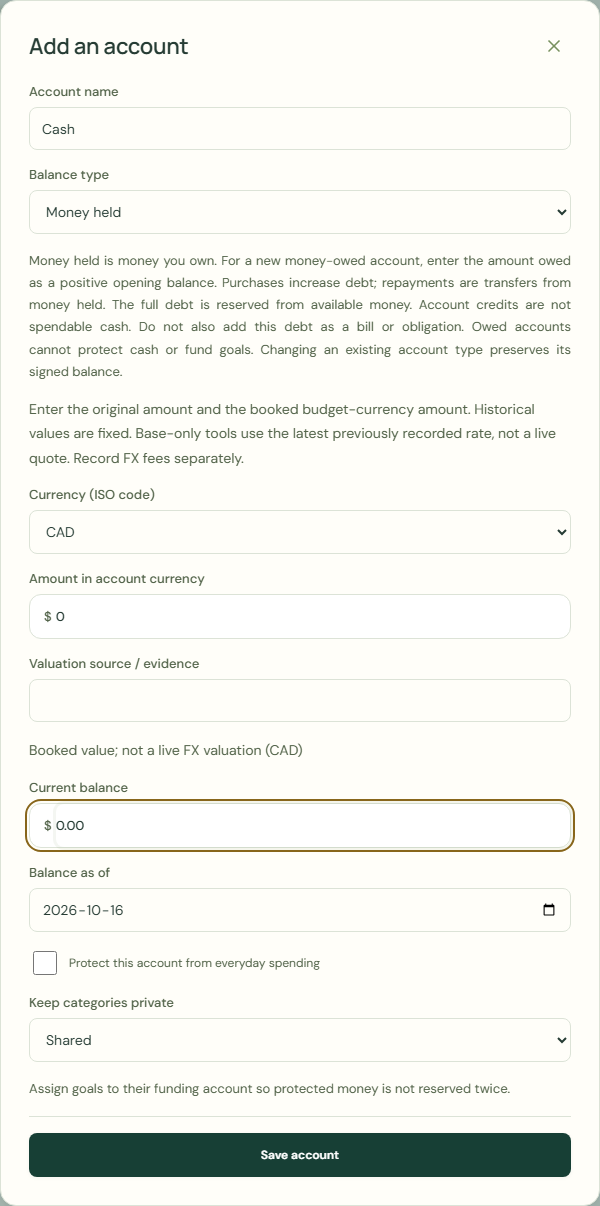
Held money is yours. Enter new debt as a positive amount. Purchases add debt; transfers from held money repay it. All debt reduces available money; credits are not cash. Don’t also add debt as a bill or obligation. Owed accounts cannot protect cash or fund goals. Changing type keeps the signed balance.
- Choose My money.
- Choose Your accounts.
- Choose Add an account.
- Complete Account name.
- Complete Balance type.
- Complete Currency.
- Complete Current balance.
- Check Balance as of.
- Choose Save account.
 Enlarge screenshot
Manage account
Correct balances in Weekly review. Opening history stays unchanged.
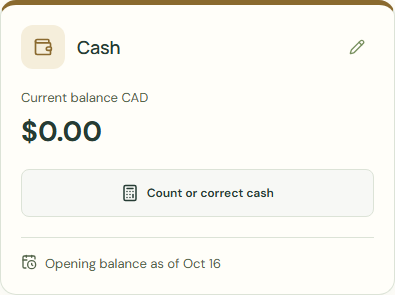
- Check Your accounts.
- Choose Edit account.
- Complete Account name.
- Check Protect from spending.
- Choose Save account.
 Enlarge screenshot
Archived accounts
To archive this account, clear its balance and goal reserves and keep another account active.
Resolve future transactions before archiving this account. Move them to another account or correct their dates.
- Choose Edit account.
- Choose Archive account.
- Choose Save account.
- Check Archived accounts.
- Choose Edit or restore.
- Clear Archive account.
- Choose Save account.
Worked example
Example balance: $1,000.00 − $25.50 = $974.50.
- Enter Cash in Account name.
- Choose Money held for Balance type.
- Enter 0.00 in Current balance.
- Check Balance as of.
- Choose Save account.
- Check Your accounts.
Current balance: $974.50 → $974.50
Common mistakes and fixes
Held money is yours. Enter new debt as a positive amount. Purchases add debt; transfers from held money repay it. All debt reduces available money; credits are not cash. Don’t also add debt as a bill or obligation. Owed accounts cannot protect cash or fund goals. Changing type keeps the signed balance.
- Check Balance type.
- Check Current balance.
- Check Balance as of.
Wait for save confirmation. If an error appears, correct it before continuing.