
Count or correct cash
Count the actual balance, review it, and save a correction. This changes cash, not income or spending. For foreign accounts, also enter the corrected historical book value; use Update valuation for market-value changes.
Your accounts
- Choose My money.
- Choose Your accounts.
- Choose Count or correct cash.
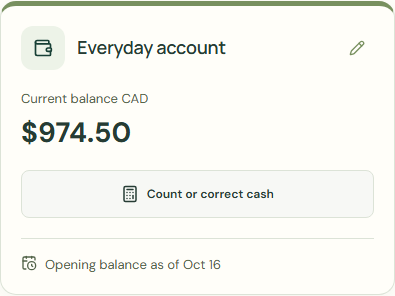 Enlarge screenshot
Count or correct cash
Count the actual balance, review it, and save a correction. This changes cash, not income or spending. For foreign accounts, also enter the corrected historical book value; use Update valuation for market-value changes.
Account balances can be negative for overdrafts. Coin and banknote quantities must be zero or positive.
- Complete Current balance.
- If requested, complete Historical book value.
- Complete Reason for correction.
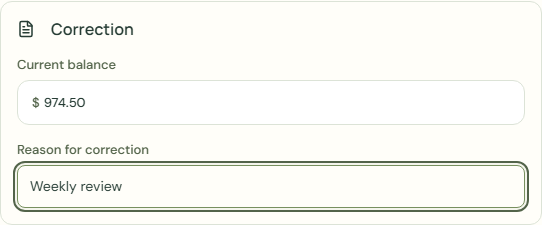 Enlarge screenshot
What should happen
- Check Current balance.
- Choose Save cash correction.
- Check Your accounts.
Worked example
Example balance: $1,000.00 − $25.50 = $974.50.
- Check Current balance.
- Enter 970.00 in Current balance.
- Enter Weekly review in Reason for correction.
- Choose Save cash correction.
Current balance: $974.50 − $4.50 = $970.00
Count the actual balance, review it, and save a correction. This changes cash, not income or spending. For foreign accounts, also enter the corrected historical book value; use Update valuation for market-value changes.
Common mistakes and fixes
Count the actual balance, review it, and save a correction. This changes cash, not income or spending. For foreign accounts, also enter the corrected historical book value; use Update valuation for market-value changes.
- Choose Count or correct cash.
- Check Current balance.
- Complete Reason for correction.
Wait for save confirmation. If an error appears, correct it before continuing.