
Weekly review
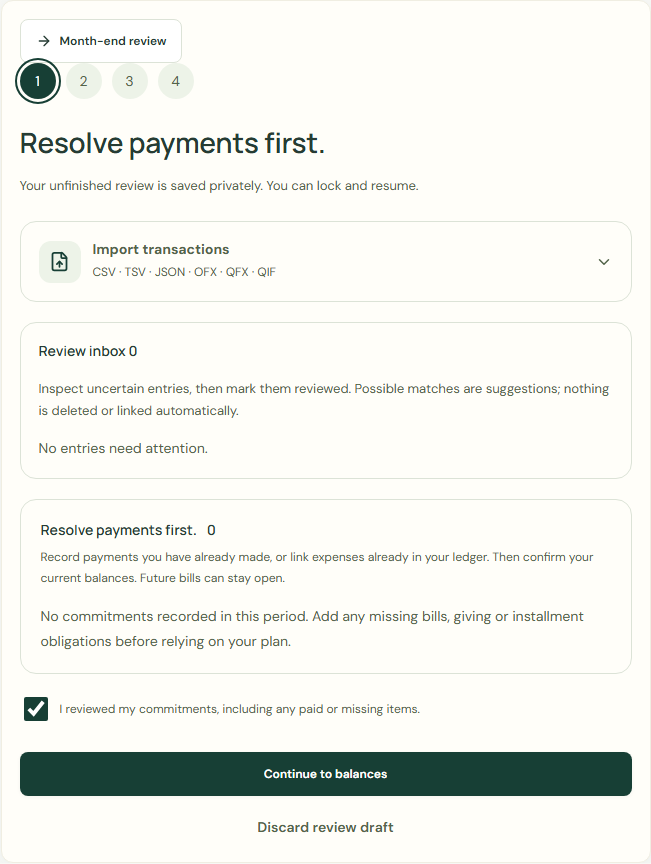
Record completed payments or link existing expenses, then confirm balances. Future bills can stay open.
Resolve payments first.
Inspect uncertain entries, then mark them reviewed. Possible matches are suggestions; nothing is deleted or linked automatically.
- Choose Start weekly review.
- Check Review inbox.
- Choose I reviewed my commitments, including any paid or missing items..
- Choose Continue to balances.
 Enlarge screenshot
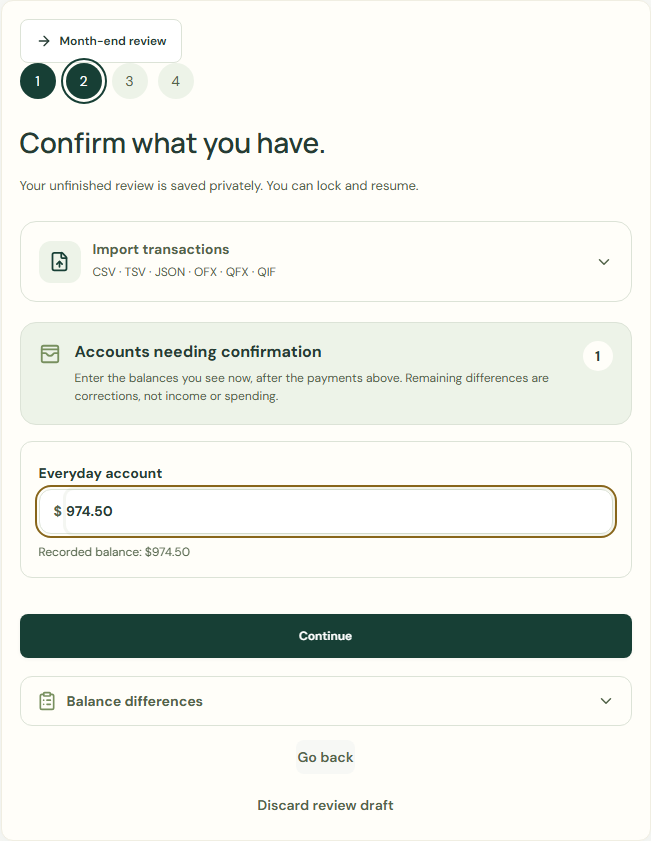
Confirm what you have.
Enter the balances you see now, after the payments above. Remaining differences are corrections, not income or spending.
- Enter 974.50 in Everyday account.
- Check Balance differences.
- Choose Continue.
 Enlarge screenshot
Example balance: $1,000.00 − $25.50 = $974.50.
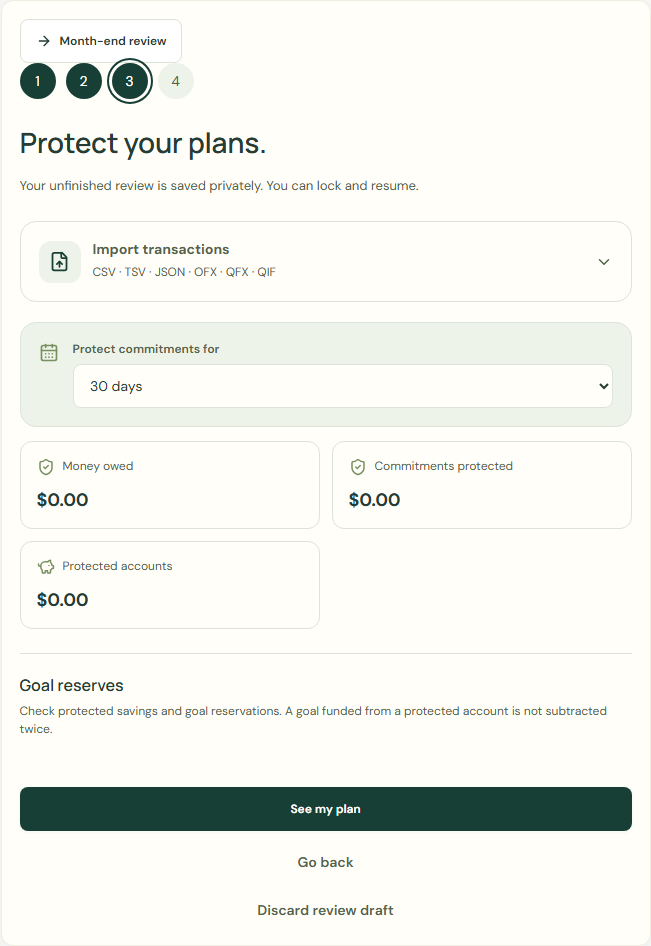
Protect your plans.
Check protected savings and goal reservations. A goal funded from a protected account is not subtracted twice.
- Check Protect commitments for.
- Check Goal reserves.
- Choose See my plan.
 Enlarge screenshot
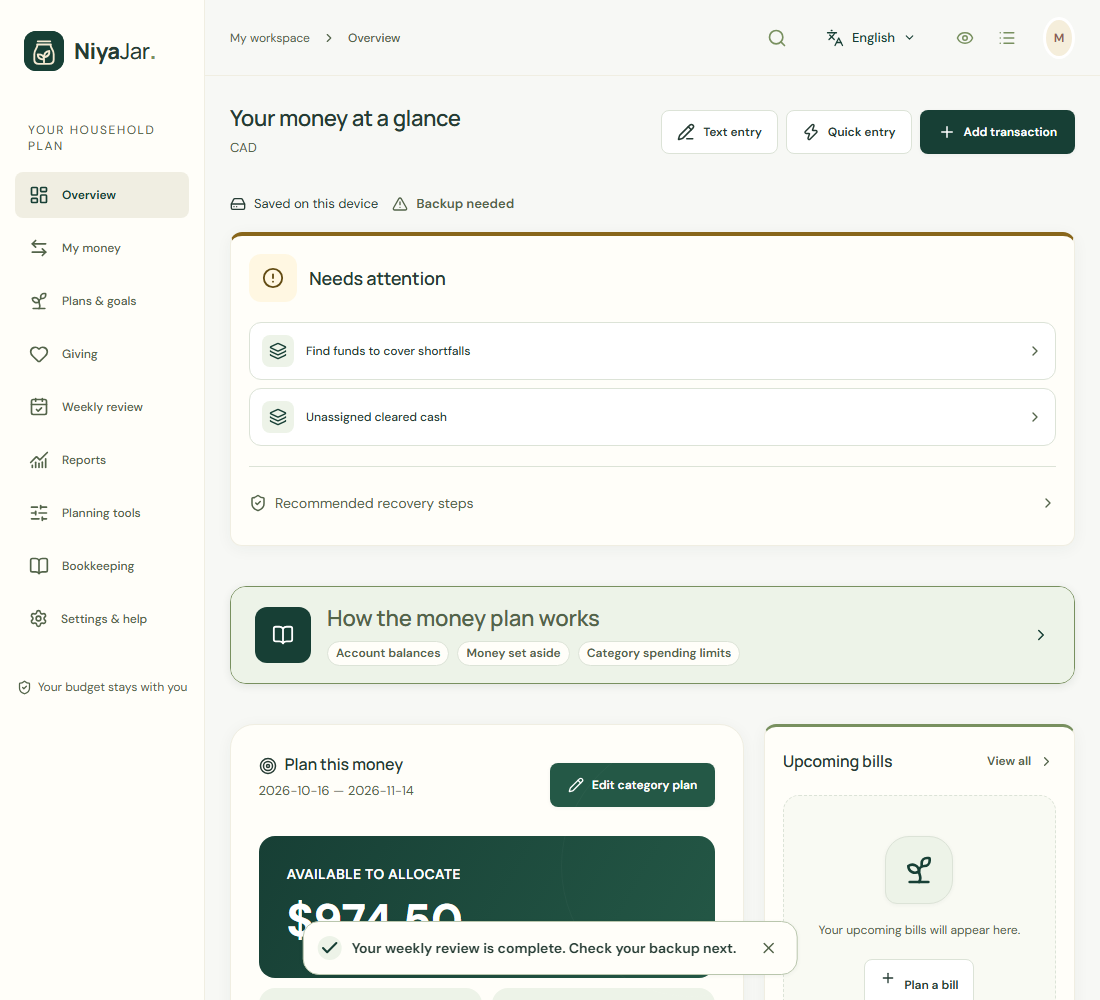
Your plan, ready to use.
- Choose Finish my review.
 Enlarge screenshot
Your weekly review is complete.
Unfinished review saved privately. Lock and resume anytime.
Wait for save confirmation. If an error appears, correct it before continuing.