
Set up my budget
Create your budget, choose its currency, and save your password and recovery key safely outside this device. Add current balances with their dates, then upcoming commitments and goals. Complete a weekly review; expected income is not available cash.
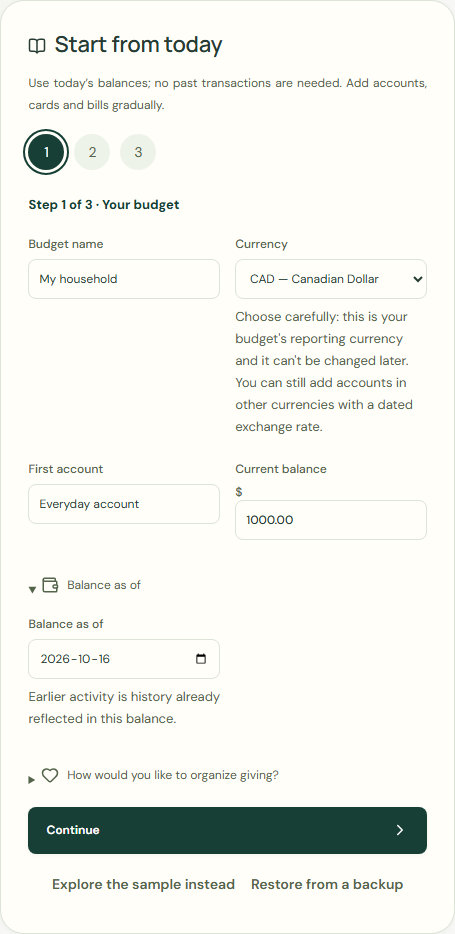
Step 1 of 3 · Your budget
- Choose Create my budget.
- Complete Budget name.
- Choose CAD for Currency.
- Enter Everyday account in First account.
- Enter 1000.00 in Current balance.
- Check Balance as of.
- Choose Continue.
 Enlarge screenshot
Earlier activity is history already reflected in this balance.
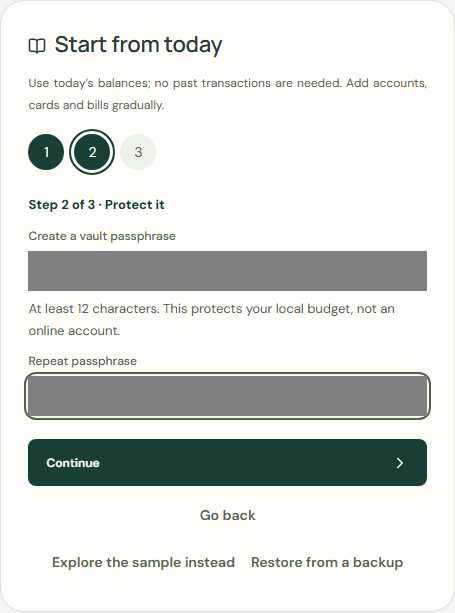
Step 2 of 3 · Protect it
At least 12 characters. This protects your local budget, not an online account.
- Complete Create a budget password.
- Complete Repeat password.
- Choose Continue.
 Enlarge screenshot
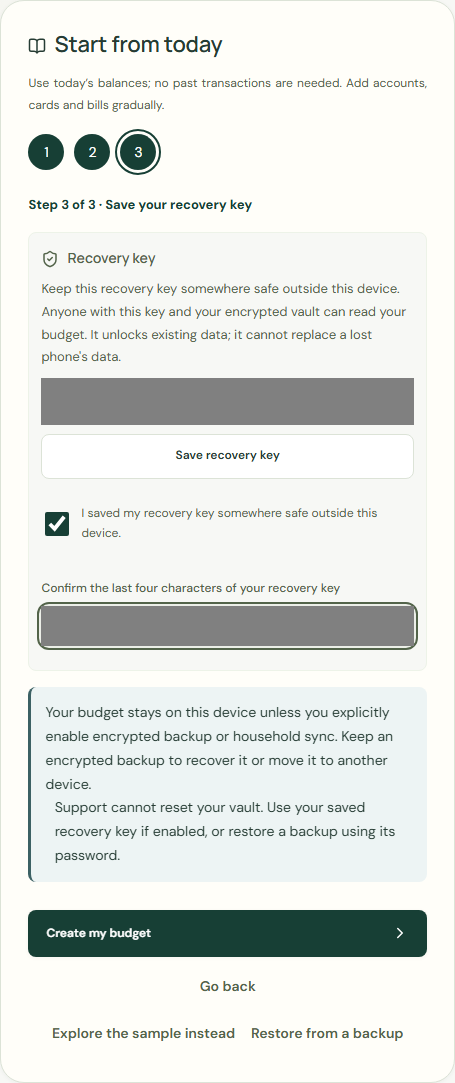
Step 3 of 3 · Save your recovery key
Keep this recovery key somewhere safe outside this device. Anyone with this key and your encrypted saved budget can read your budget. It unlocks existing data; it cannot replace a lost phone's data.
- Choose Save recovery key.
- Choose I saved my recovery key somewhere safe outside this device..
- Complete Confirm the last four characters of your recovery key.
- Choose Create my budget.
 Enlarge screenshot
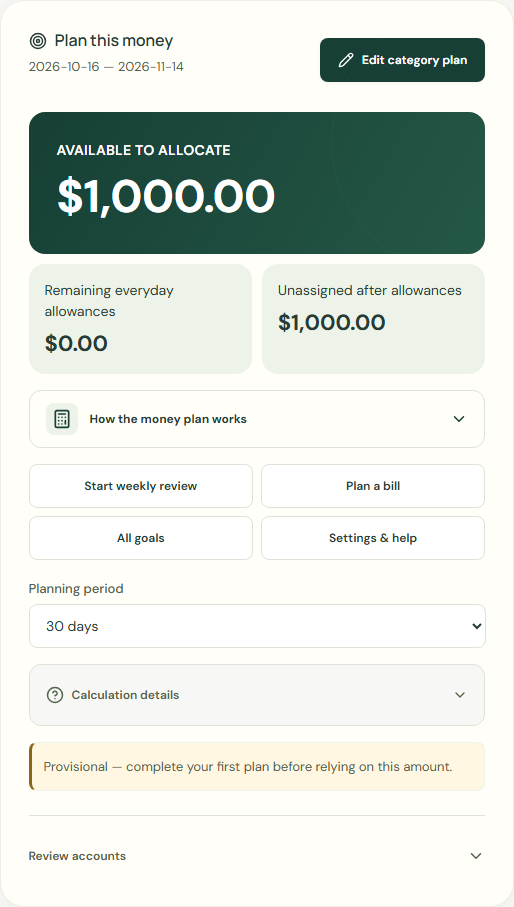
Complete your first plan
This is an estimate until you review your accounts, commitments and protected savings. You can explore and return here.
- Check Current balance.
- Check Bills & commitments.
- Check Savings goals.
 Enlarge screenshot
Wait for save confirmation. If an error appears, correct it before continuing.