
Save or restore a manual backup
Back up in Settings with a separate password. Keep both off-device. Back up and verify important changes. Excludes drafts and purchase identity.
Backup & restore
- Choose Settings.
- Choose Backup & restore.
- Choose Encrypted backup.
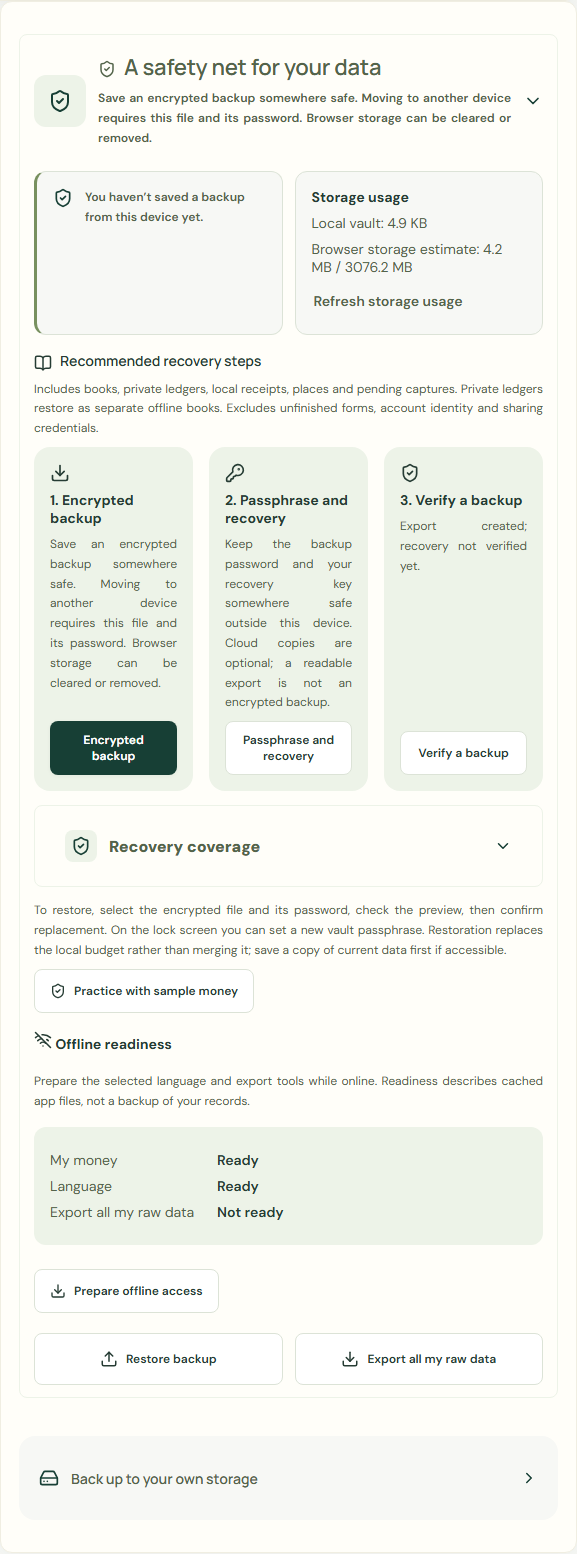 Enlarge screenshot
Save encrypted backup
- Complete Backup password.
- Complete Repeat password.
- Choose Save encrypted backup.
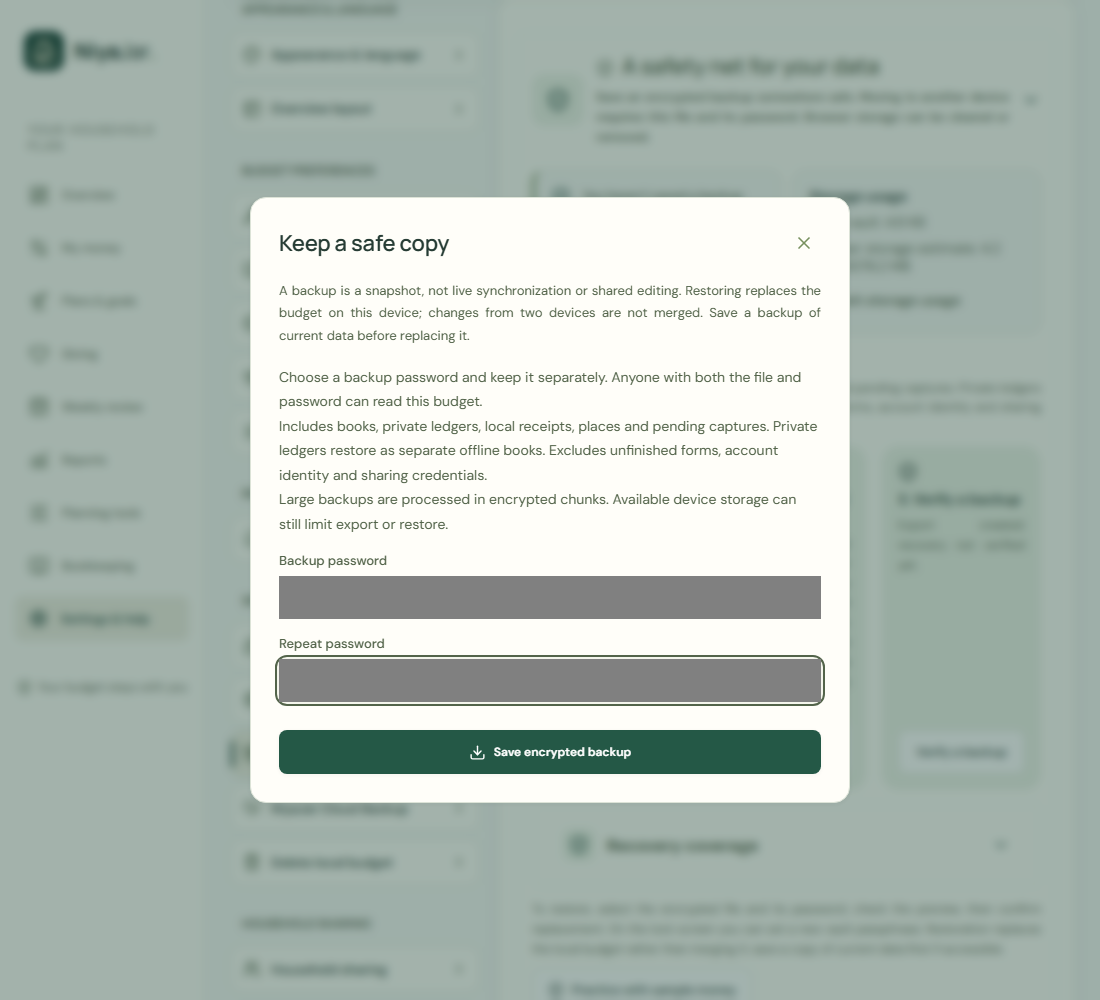 Enlarge screenshot
A recovery key helps with a forgotten password. An encrypted backup stored outside this device protects against a lost phone, uninstall, or cleared storage. Save and verify a backup now.
Verify a backup
- Choose Verify a backup.
- Choose Backup file.
- Complete Backup password.
- Choose Check backup.
- Check Budget name.
- Check Currency.
- Choose Finish verification.
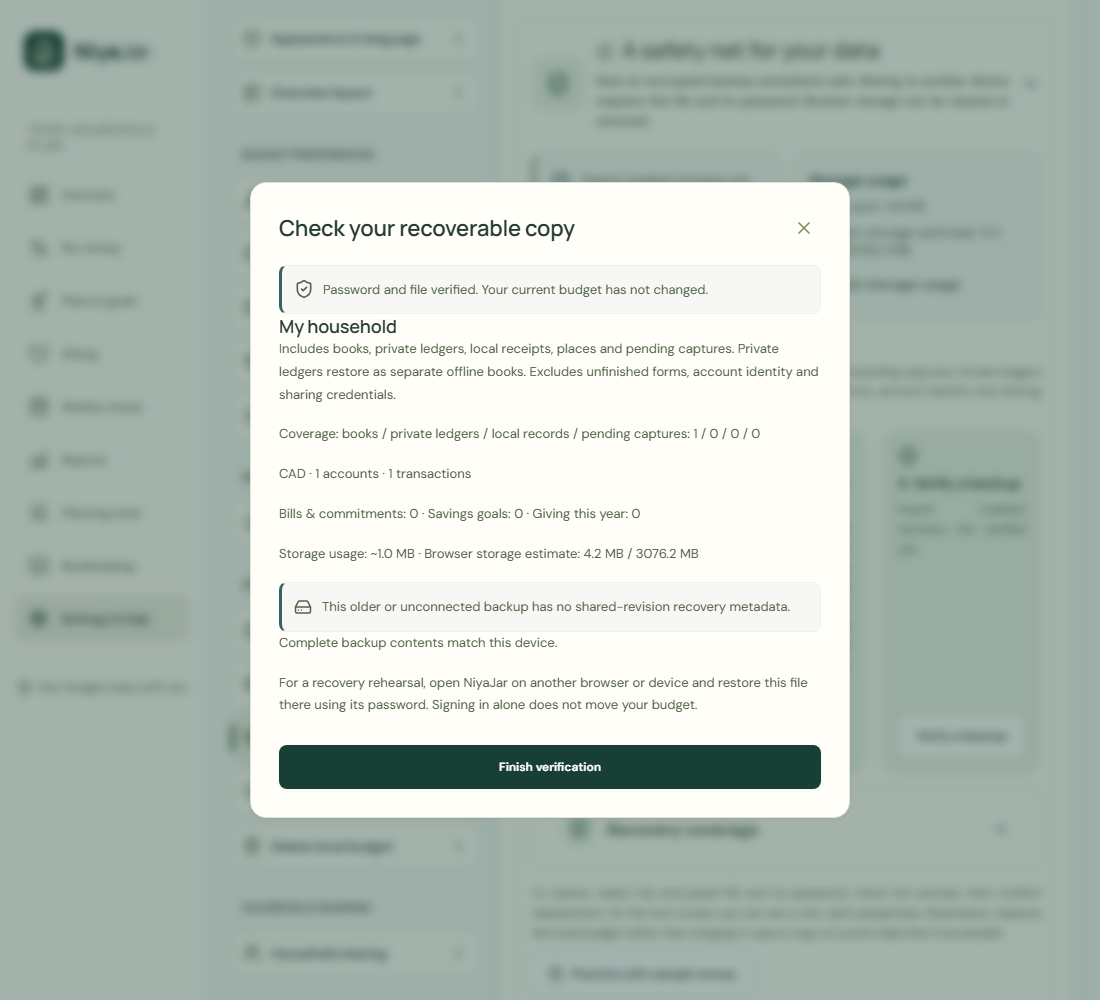 Enlarge screenshot
Password and file verified. Your current budget has not changed.
Complete backup contents match this device.
Restore backup
Enter the backup password, review and confirm. Restore replaces data; back up first.
- Choose Restore backup.
- Choose Backup file.
- Complete Backup password.
- Choose Check backup.
- Choose Replace my budget.
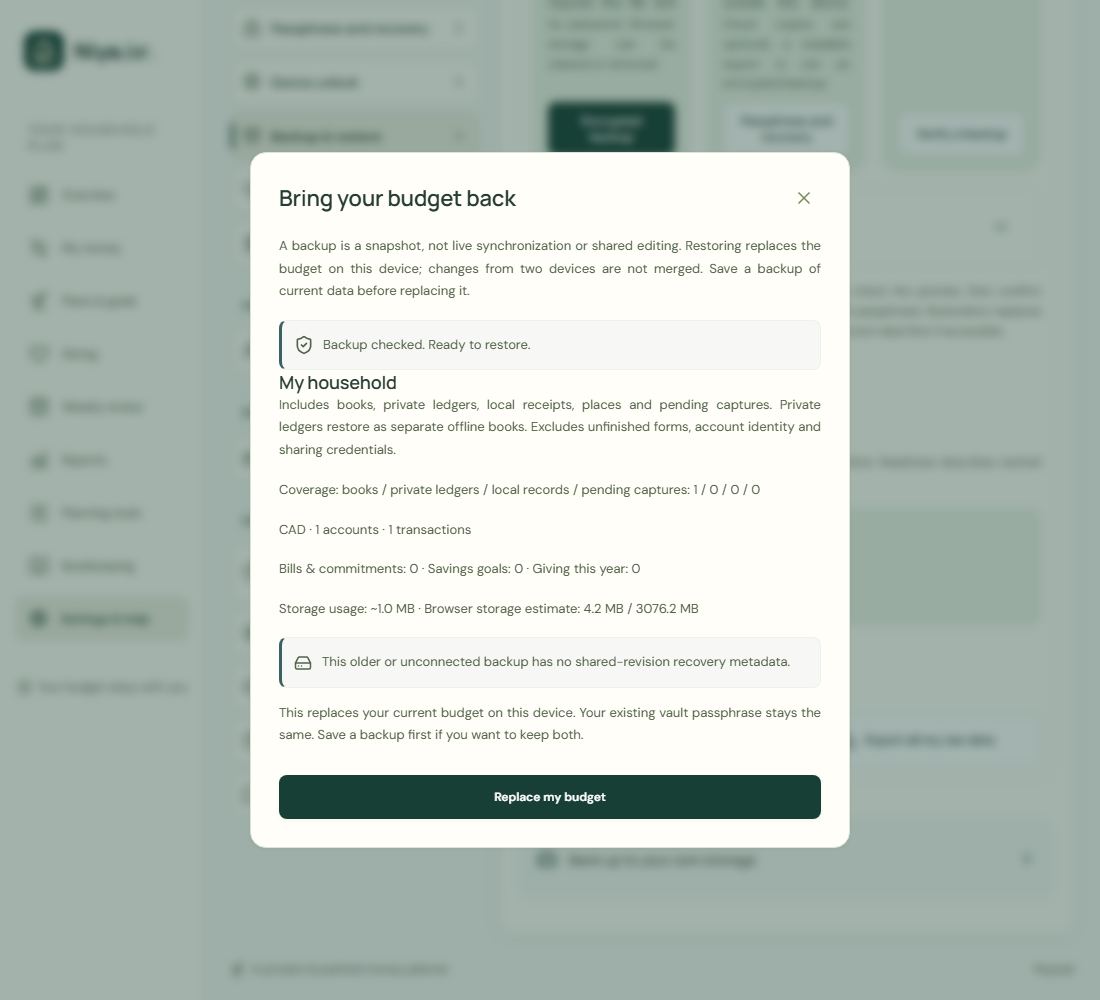 Enlarge screenshot
Your transactions
- Choose My money.
- Check Your transactions.
- Check Current balance.
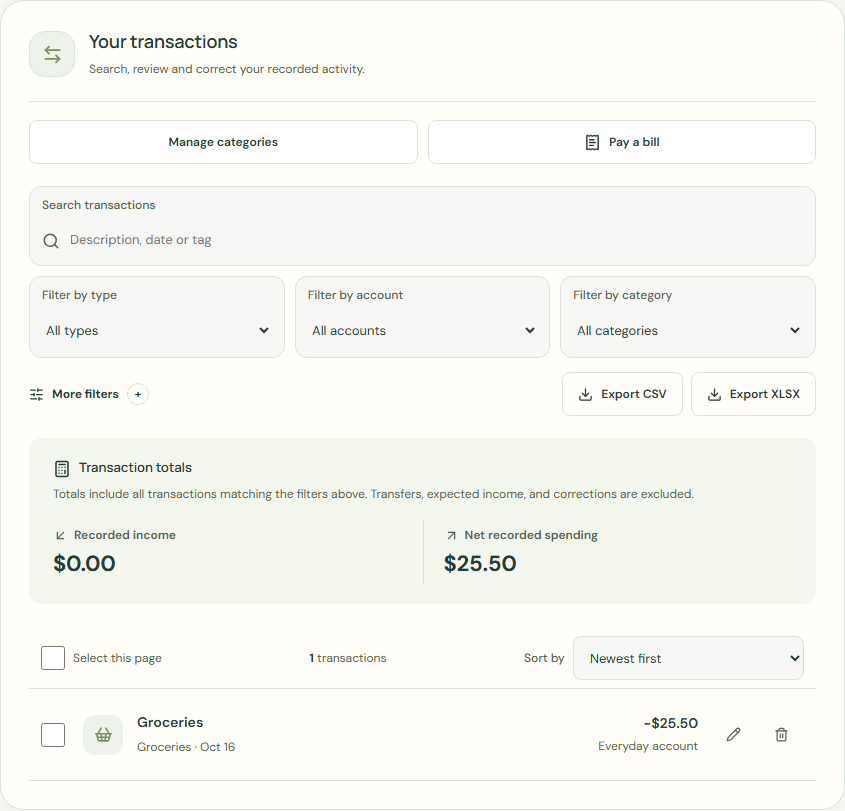 Enlarge screenshot
Example balance: $1,000.00 − $25.50 = $974.50.
Wait for save confirmation. If an error appears, correct it before continuing.