
Refund
A linked refund uses the original payment’s account and category.
Your transactions
Choose an existing payment to refund.
- Choose My money.
- Choose Your transactions.
 Enlarge screenshot
Refund
Choose the original expense and a refund date on or after its payment date.
- Choose Add transaction.
- Choose Refund.
- Complete Refund for payment (optional).
- Complete Amount.
- Complete Date.
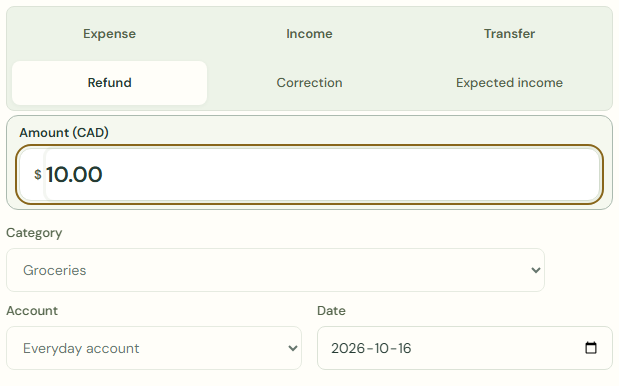 Enlarge screenshot
What should happen
The refund total cannot exceed the original payment. Check the amount and any earlier refunds.
Split linked refunds only across refunded categories, within each category’s remaining refundable amount. Remove refunds before editing the original splits.
- Check Amount.
- Choose Save transaction.
- Check Your transactions.
Worked example
Example balance: $1,000.00 − $25.50 = $974.50.
- Check Your transactions.
- Choose Refund.
- Complete Refund for payment (optional).
- Enter 10.00 in Amount.
- Choose Save transaction.
Entry amount: $25.50
Current balance: $974.50 + $10.00 = $984.50
Common mistakes and fixes
The refund total cannot exceed the original payment. Check the amount and any earlier refunds.
- Check Your transactions.
- Check Amount.
Wait for save confirmation. If an error appears, correct it before continuing.