
Edit transaction
Search transactions
Search transactions
- Choose My money.
- Choose Your transactions.
- Complete Search transactions.
 Enlarge screenshot
Edit
- Choose Edit.
- Complete Amount.
- Complete Account.
- Complete Category.
- Complete Date.
- Complete Description (optional).
- Choose Save transaction.
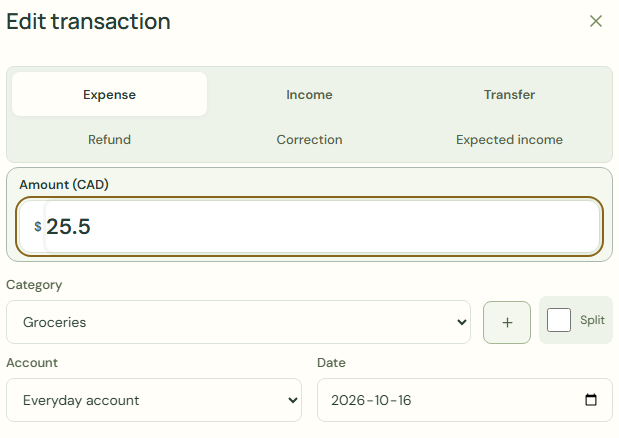 Enlarge screenshot
What should happen
- Check Your transactions.
- Check Current balance.
Worked example
Example balance: $1,000.00 − $25.50 = $974.50.
- Choose Groceries for Category.
- Check Amount.
- Enter 30.00 in Amount.
- Choose Save transaction.
- Check Your transactions.
Current balance: $1,000.00 − $30.00 = $970.00
Common mistakes and fixes
History only: recorded balances stay unchanged.
- Check Amount.
- Check Date.
- Check Your transactions.
- Choose Edit.
Wait for save confirmation. If an error appears, correct it before continuing.