
New goal
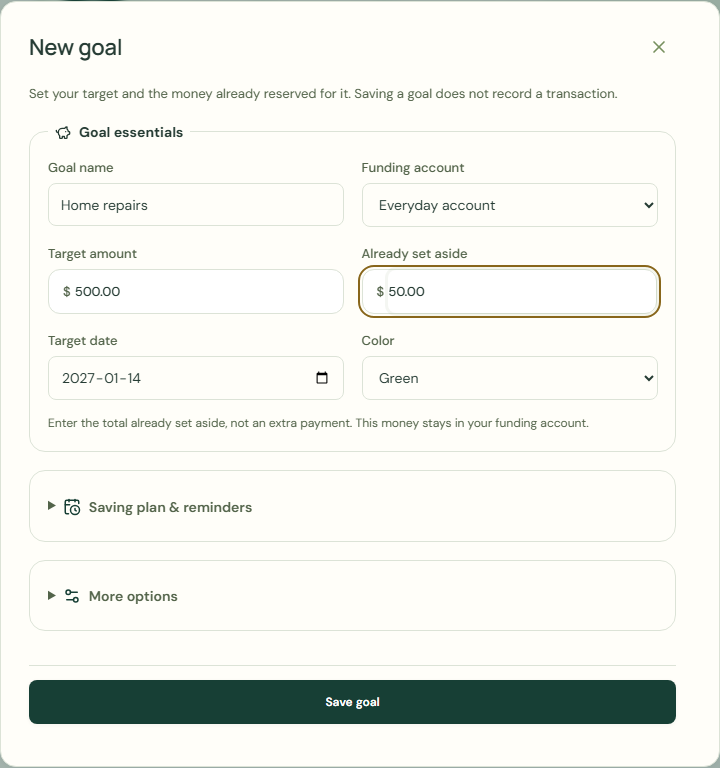
Set your target and the money already reserved for it. Saving a goal does not record a transaction.
New goal
- Choose Plans & goals.
- Choose Goals.
- Choose New goal.
- Complete Goal name.
- Complete Target amount.
- Complete Target date.
- Complete Funding account.
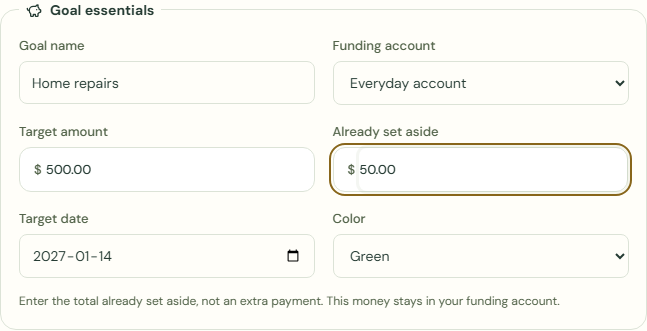
- Complete Already set aside.
- Choose Save goal.
 Enlarge screenshot
 Enlarge screenshot
Set aside money
Enter the total already set aside, not an extra payment. This money stays in your funding account.
- Choose Set aside money.
- Complete Already set aside.
- Check Funding account.
- Choose Save goal.
What should happen
Goal amounts are reservations within your account balances, not separate money.
Progress includes money still reserved and money already spent toward the goal.
- Check Goals.
Worked example
Example balance: $1,000.00 − $25.50 = $974.50.
- Enter Home repairs in Goal name.
- Enter 500.00 in Target amount.
- Choose Everyday account for Funding account.
- Enter 50.00 in Already set aside.
- Choose Save goal.
- Choose Set aside money.
- Enter 75.00 in Already set aside.
- Choose Save goal.
Already set aside: $50.00 + $25.00 = $75.00
Current balance: $974.50 → $974.50
Enter the total already set aside, not an extra payment. This money stays in your funding account.
Common mistakes and fixes
Enter the total already set aside, not an extra payment. This money stays in your funding account.
- Check Funding account.
- Complete Already set aside.
Wait for save confirmation. If an error appears, correct it before continuing.